


Date formatting varies across different regions, with distinct conventions for ordering days, months, and years. For example, in the United States, March 5, 2026 would typically appear as 03/05/2026, whereas in many European countries it would appear as 05/03/2026. Understanding and correctly applying these formats is essential for clear communication and accurate interpretation of time-based data.
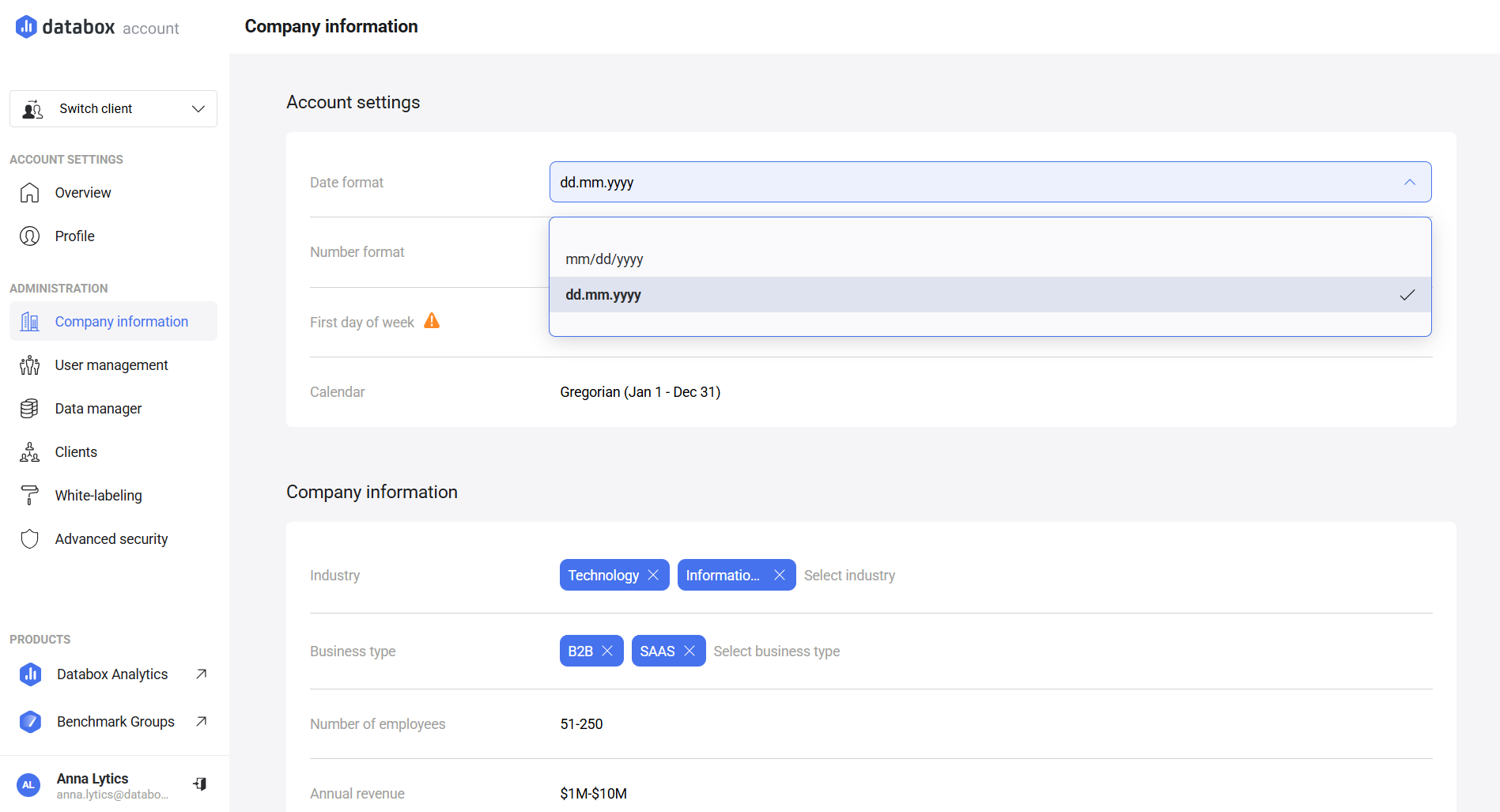
By default, the platform uses the mm/dd/yyyy format. You can update this setting to match your regional standard, ensuring consistency across date pickers and displayed dates throughout your account.
- Navigate to Account Management > Company information.
- Scroll to Account settings.
- Locate Date format in the table and select your preferred option.

FAQ
Can I apply different date formats to different accounts?
Yes. Date format is configured at the account level. This means each account can have its own date format setting, independent of the organization or other accounts.
Can I use multiple date formats simultaneously?
No, only one format can be used at any given time.
Can individual users choose a different date format?
No. The date format is managed at the account level and applies to all users.
Does changing the date format affect my data?
No. The setting only changes how dates are displayed. Your data and historical values remain unchanged.


