


Purging a data source permanently removes all data previously synced into Databox from that source — without affecting data in the original system. This is useful when you need to clear out stale or incorrect historical data and allow Databox to re-sync a clean dataset on the next sync cycle.
- Open the Data sources tab from either location:
- Find the data source you want to purge.
- Click the drop-down arrow (
 ) next to it and select Purge historical data.
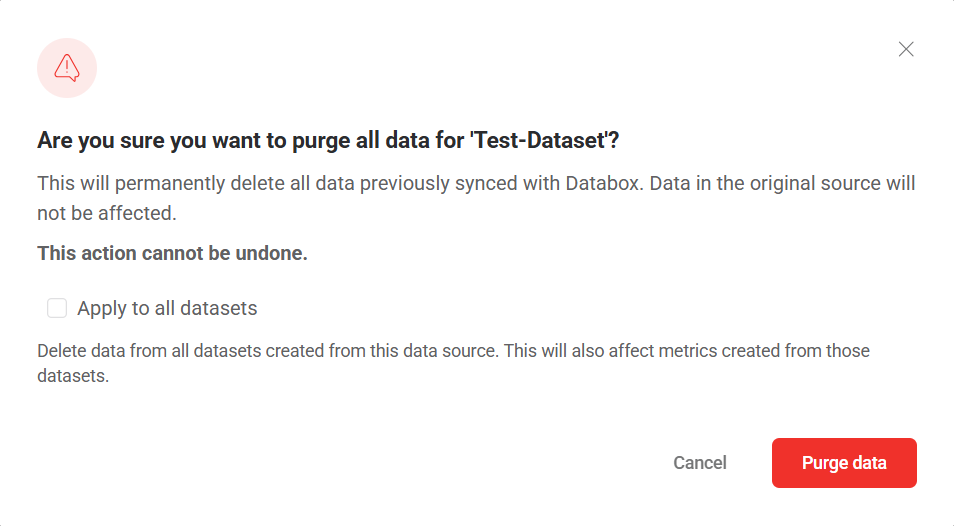
 - In the confirmation dialog, review the warning message.
- Optionally, check Apply to all datasets if you also want to delete data from all datasets created from this data source. This will also affect any metrics built from those datasets.
- Click Purge data to confirm.

FAQ
What happens to my data after a purge?
Databox will re-sync data from the source on the next scheduled sync. The amount of historical data recovered depends on the sync history window available for that data source.
What's the difference between purging and deleting a data source?
Purging removes all synced data from Databox while keeping the data source and associated connection intact. Deleting removes both the synced data and the data source itself — and may also remove the associated connection if no other data sources share it.


