


PayPal is a widely used payment platform that processes transactions across ecommerce, invoicing, and recurring billing. Tracking payment volume, transaction counts, and revenue trends within PayPal's native interface makes it difficult to correlate financial performance with marketing spend, customer activity, or other business data in one place. Connecting PayPal to Databox brings your payment metrics into a shared workspace alongside your other data sources, so you can build unified revenue dashboards, track trends over time, and share results with stakeholders without switching between tools.
If your credentials don't include full access to the data source, make sure your access level meets any permission requirements listed in the Specification section of the integration's page in the Metric Library.
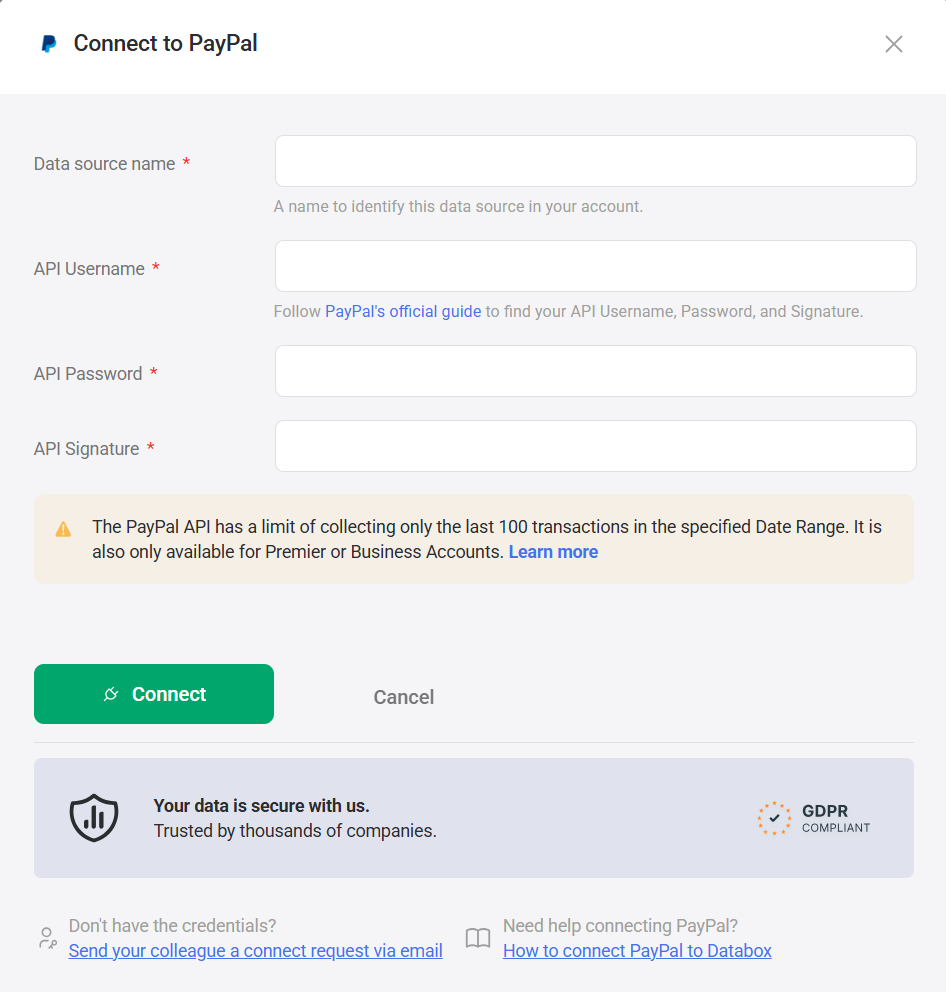
Follow PayPal's official guide to locate your API Username, API Password, and API Signature in your PayPal account.
Keep these credentials readily available, as you'll need to enter them in the next step.
To connect PayPal to your Databox account for the first time or with new credentials, enter the API credentials obtained in the previous step.
For comprehensive details on metrics, data availability, templates, specifications, usage guidelines, and other key information, refer to the resources listed below.


FAQ
Why are some of my PayPal transactions missing in Databox?
PayPal's API returns a maximum of 100 transactions per date range. If your account processes more than 100 transactions in the selected period, only the most recent 100 will be available in Databox.


