


The Line visualization is an effective tool for displaying data trends over time by connecting data points on a continuous timeline. This format allows users to easily observe fluctuations and patterns, making it particularly useful for analyzing performance metrics across various periods. With its ability to illustrate multiple metrics simultaneously, the Line visualization provides a clear perspective on changes and trends, empowering teams to make data-driven decisions.
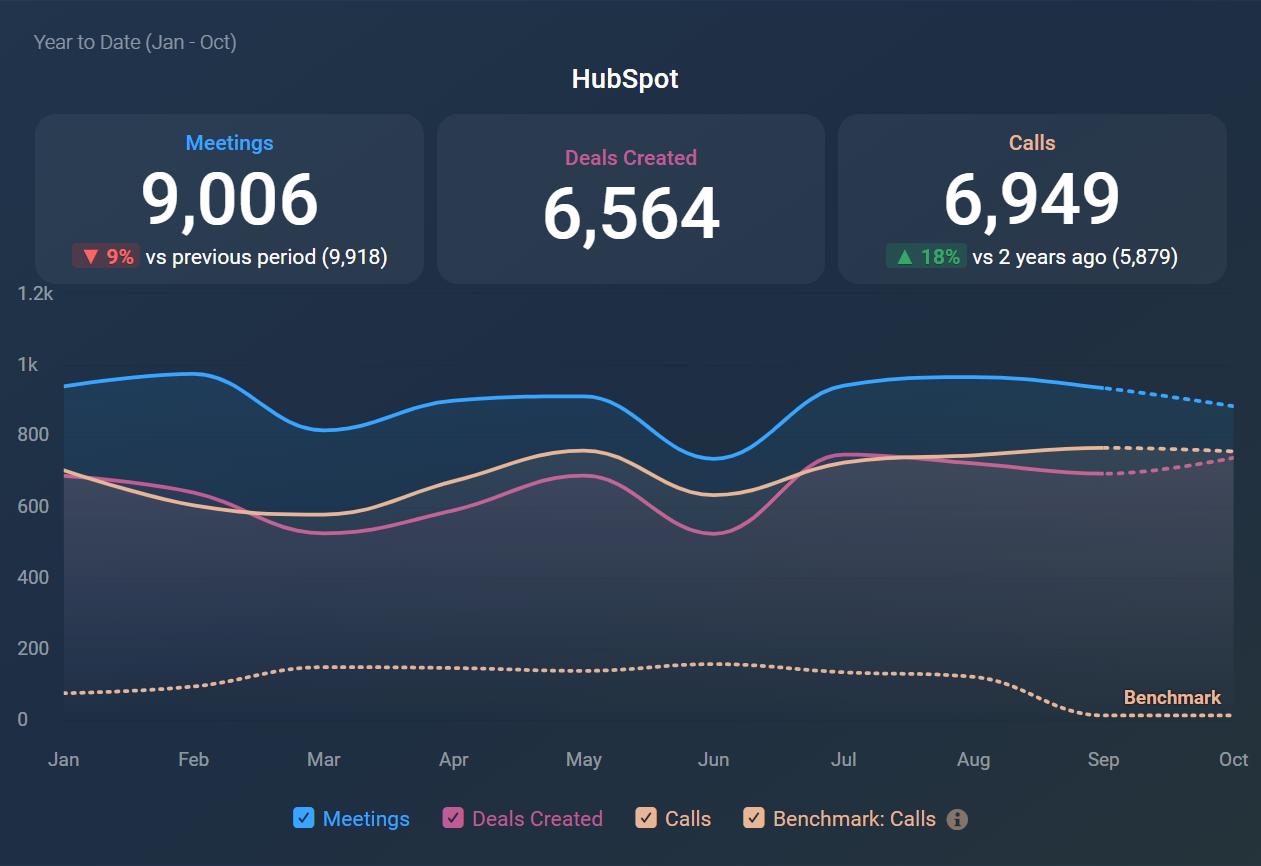
The following features highlight the key functionalities of the Line visualization:
- A maximum of 15 lines can be displayed at once, each representing a metric, a dimension value, or — when a metric is broken down by more than one dimension — a combination of dimension values.
- At the metric level, you can add lines for averages, trends, medians, and goals.
- Comparisons are configured for each metric.
- Individual lines can be stacked for a more comprehensive view.
- Total figures above the chart can be toggled on or off based on your preferences.
- The displayed numbers can be sorted based on their value, the name of the metric or dimension value, change value, or by manually rearranging the metrics in a custom order.
- An additional Y-axis can be included, with options for automatic and manual scaling.
- Line edge smoothing can enhance the visual appeal of the chart.
- The chart legend can be hidden to maximize the display area for the chart.
- Annotations can be added to mark key events directly on the chart.
- Marker dots appear on primary lines when line smoothing is off and the chart has 31 data points or fewer, provided the chart is big enough.
The Line visualization is particularly useful in various scenarios, including:
- Sales Trend Analysis: Track sales figures over time to identify seasonal patterns and growth trends, helping sales teams adjust strategies effectively.
- Website Traffic Monitoring: Observe website visitor trends to assess the impact of marketing campaigns or content changes, allowing for data-driven adjustments.
- Financial Performance Tracking: Monitor key financial metrics such as revenue, expenses, or profit margins over time, enabling stakeholders to make informed financial decisions.
- Customer Satisfaction Trends: Analyze changes in customer feedback or satisfaction scores over time, helping organizations improve service quality and address concerns.


