


A Gauge visualization displays a single metric value with a pointer, resembling a speedometer, to provide a clear view of performance against a defined target or range. This visualization is particularly effective in highlighting how close a metric is to its goal, allowing users to quickly assess performance at a glance.
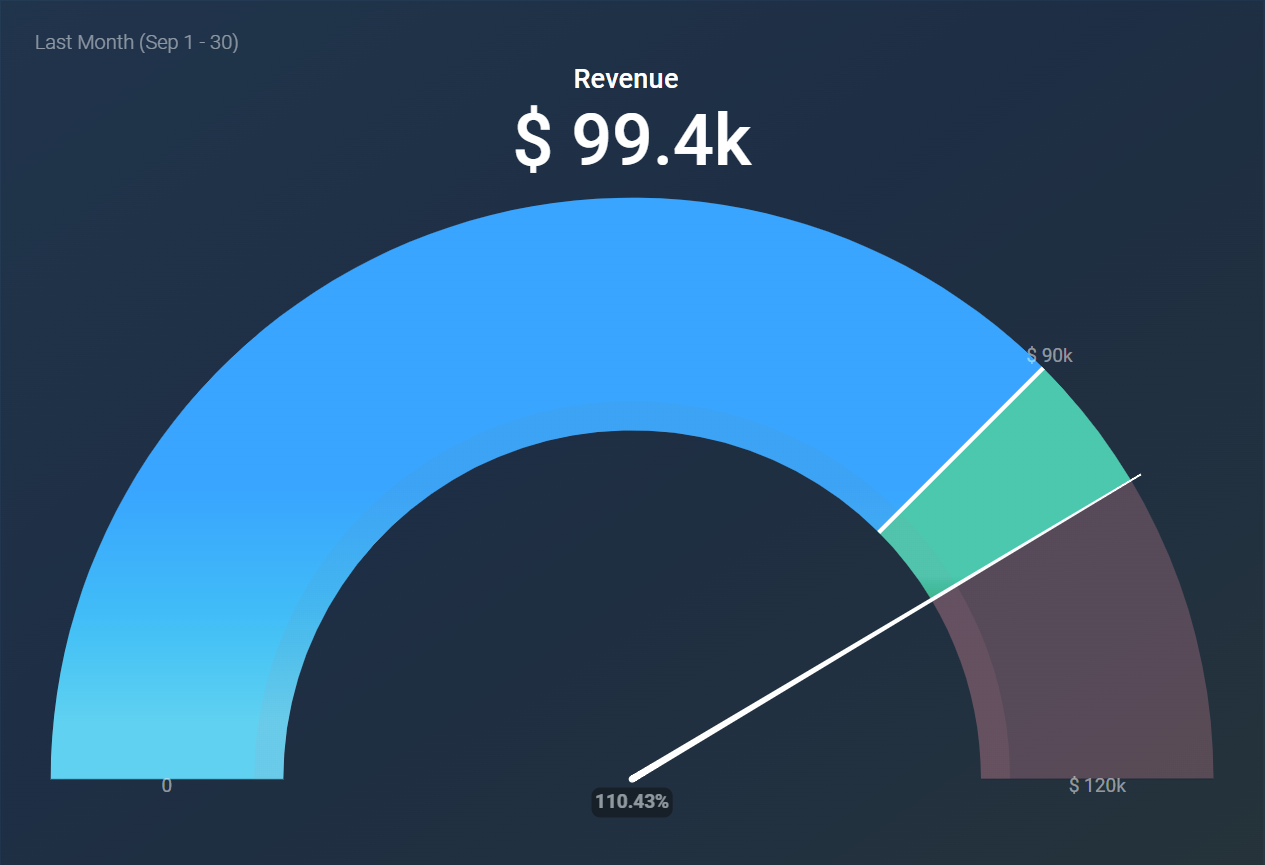
The following key functionalities are offered by the Gauge visualization:
- If a goal value exists, a white line will be drawn to indicate it for the selected metric or dimension.
- The maximum value can be set to calculate automatically or be aligned to a metric or custom value.
- The total figure above the chart can be toggled on or off based on your preference.
- Traffic light coloring is available to visually indicate progress toward a target or maximum.
- The color gradient is determined by the selected color theme.
- Comparisons against other periods are not supported in this visualization.
- This visualization displays only a single value. If the metric is broken down by more than one dimension, you can still select and filter by all of them, but the gauge shows only the highest value among the returned dimension combinations.
Here are some ideal applications for the Gauge visualization:
- Sales Performance Tracking: Monitor sales performance against targets to motivate and assess progress.
- Project Completion Monitoring: Keep track of project completion percentages against set milestones for efficient management.
- Campaign Success Evaluation: Measure the effectiveness of marketing campaigns by comparing key metrics against predetermined goals.
- Service Level Assessment: Evaluate service levels against targets for response times or customer satisfaction metrics.


