Availability
 Users, Editors, and Admins
 All organizations and accounts
 Exclusive to select subscription plans
Intrix CRM is a cloud-based customer relationship management platform that helps businesses manage sales, marketing, and customer support activities in one place, alongside project and task management tools. Developed by Intera, it's widely used by small and medium-sized businesses across Slovenia and the broader European market to track their sales pipeline and customer lifecycle. Connecting Intrix CRM to Databox brings your sales and pipeline data into your dashboards, so you can monitor performance alongside your other business metrics.
If your credentials don't include full access to the data source, make sure your access level meets any permission requirements listed in the Specification section of the integration's page in the Metric Library.
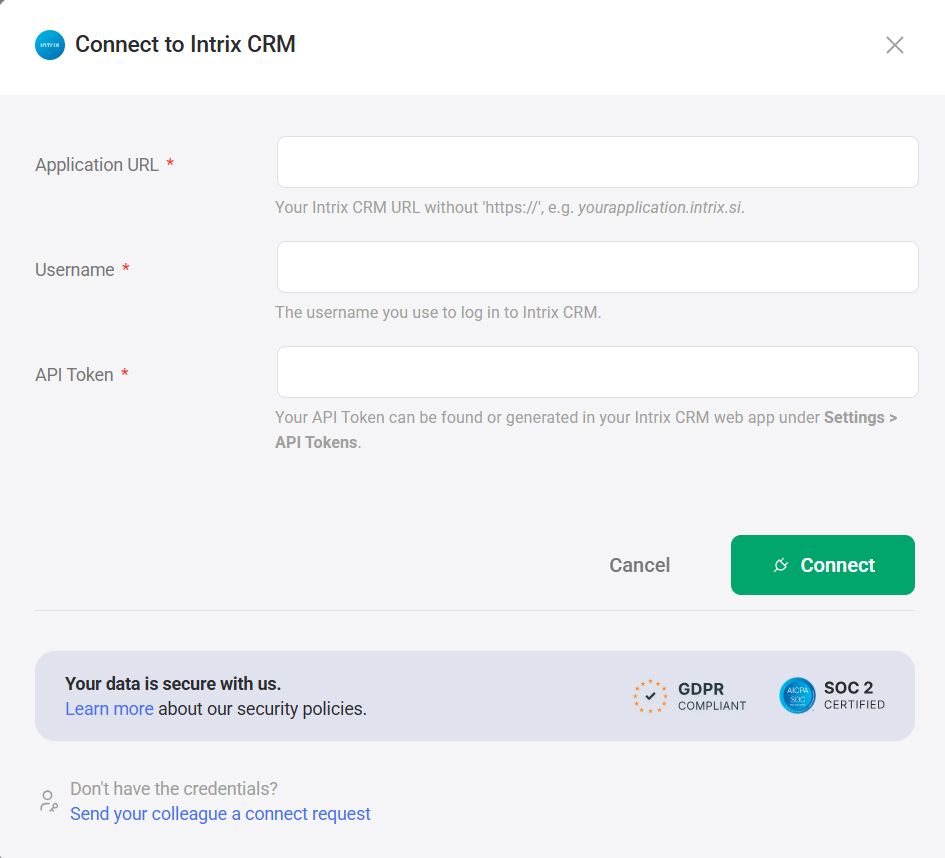
To connect Intrix CRM to your Databox account for the first time or with new credentials:
- Enter your Application URL — your Intrix CRM URL without
https://, e.g.yourapplication.intrix.si. - Enter your Username — the username you use to log in to Intrix CRM.
- Enter your API Token — find or generate this in your Intrix CRM web app under Settings > API Tokens.
- Click Connect.
For comprehensive details on metrics, data availability, templates, specifications, usage guidelines, and other key information, refer to the resources listed below.


